Try this
1 of 12
Compress video
Paperlane for Mac compresses video with Apple's VideoToolbox hardware encoders.
Native app for macOS
Merge, compress, convert, OCR, trim, transcribe and record without uploading anything. Run one file or a whole folder from the window, Finder, Shortcuts or the menu bar.
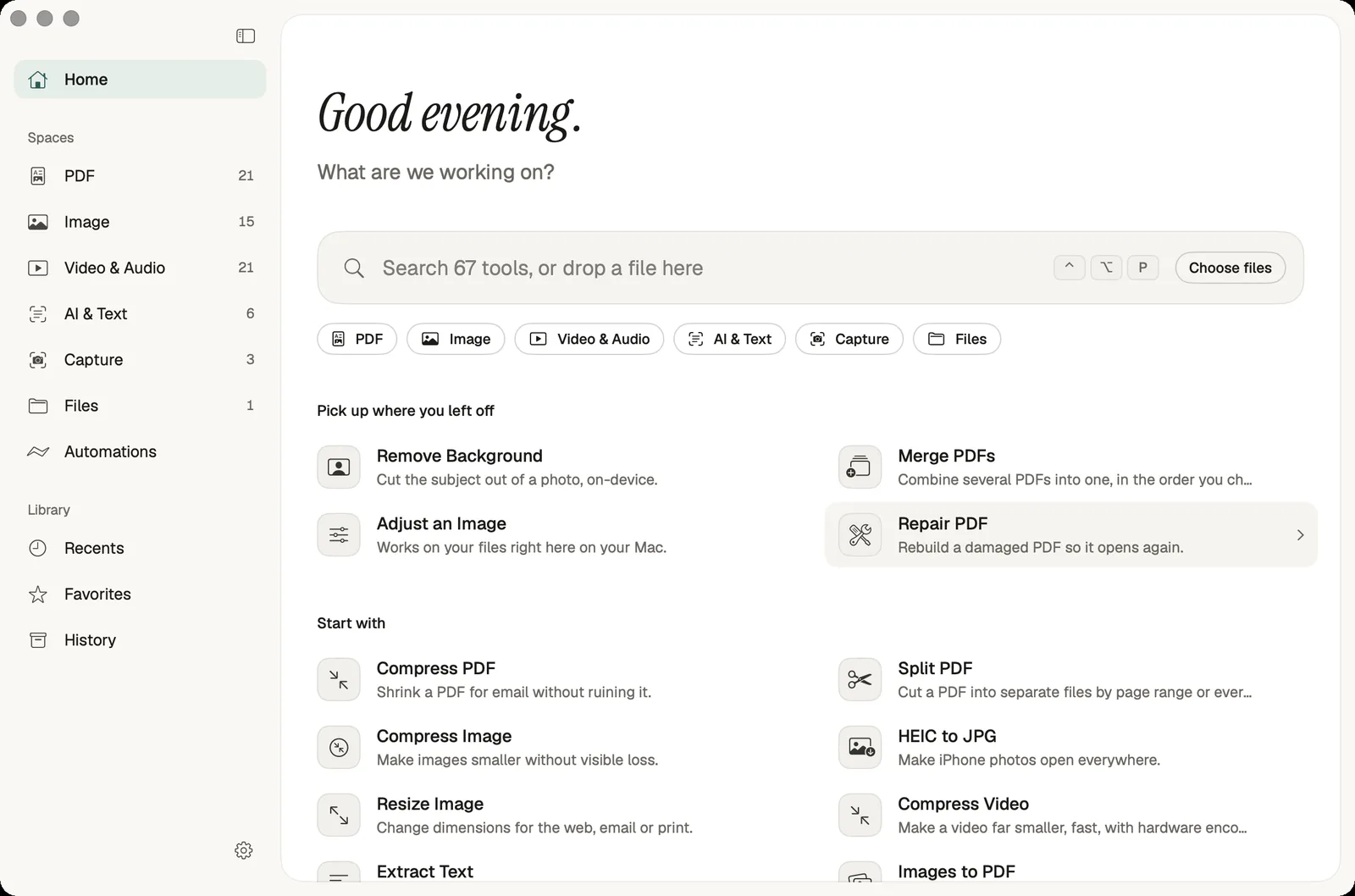
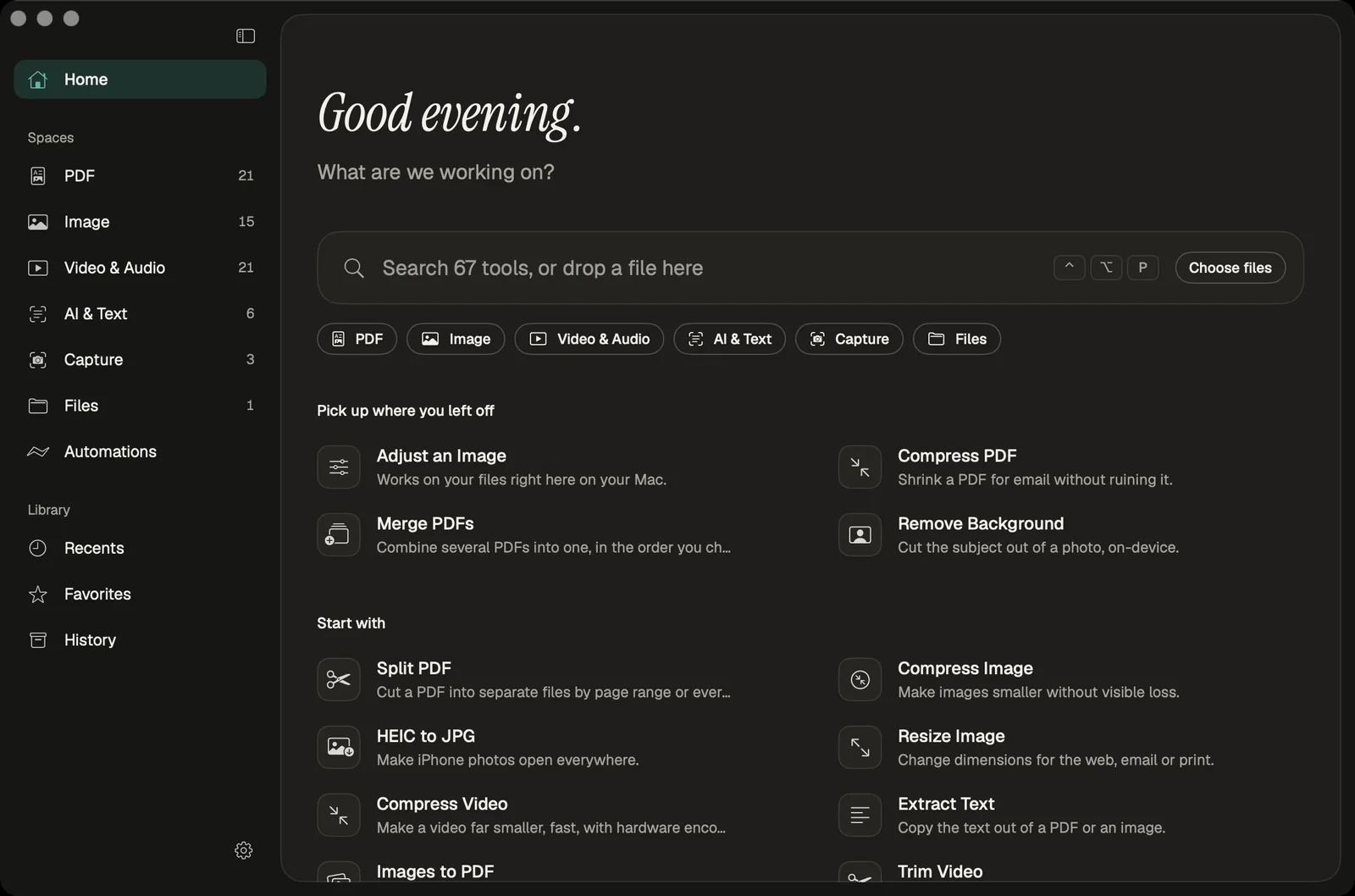
The website handles one job at a time in your browser. The Mac app is for the days when the files pile up.
Every tool runs on Apple frameworks on your own machine. Nothing is uploaded, and the app keeps no copy of what is inside your files.
Drop fifty photos or a folder of scans and run one setting over all of them. Results are saved next to the originals as new files; Batch Rename renames in place with a preview and undo journal.
Right-click in Finder, call a tool from Shortcuts, drop files on the menu bar shelf, or press Control-Option-P from any app to open the launcher.
Processing needs no connection. The app checks for updates online; macOS may download speech or translation languages on first use.
67 tools, grouped the way the app groups them. Each task page explains how it works on a Mac and where it falls short.
Try this
Paperlane for Mac compresses video with Apple's VideoToolbox hardware encoders.
Extract Text, Image to Text, Transcribe, Generate Subtitles, Translate and Summarize PDF run on your Mac.
Record the screen with system audio, record the microphone, or copy text from any part of the screen.
Chain tools into a recipe, then point it at a watch folder so new files are handled as they arrive. A clipboard optimiser can shrink images the moment you copy them.
Batch rename with a live preview and an undo journal.
A built-in MCP server lets Claude, Cursor and Codex run Paperlane tools on folders you approve. Agent outputs are saved as new files.
How agent access worksReal screenshots from the current build, in the light and dark appearance.
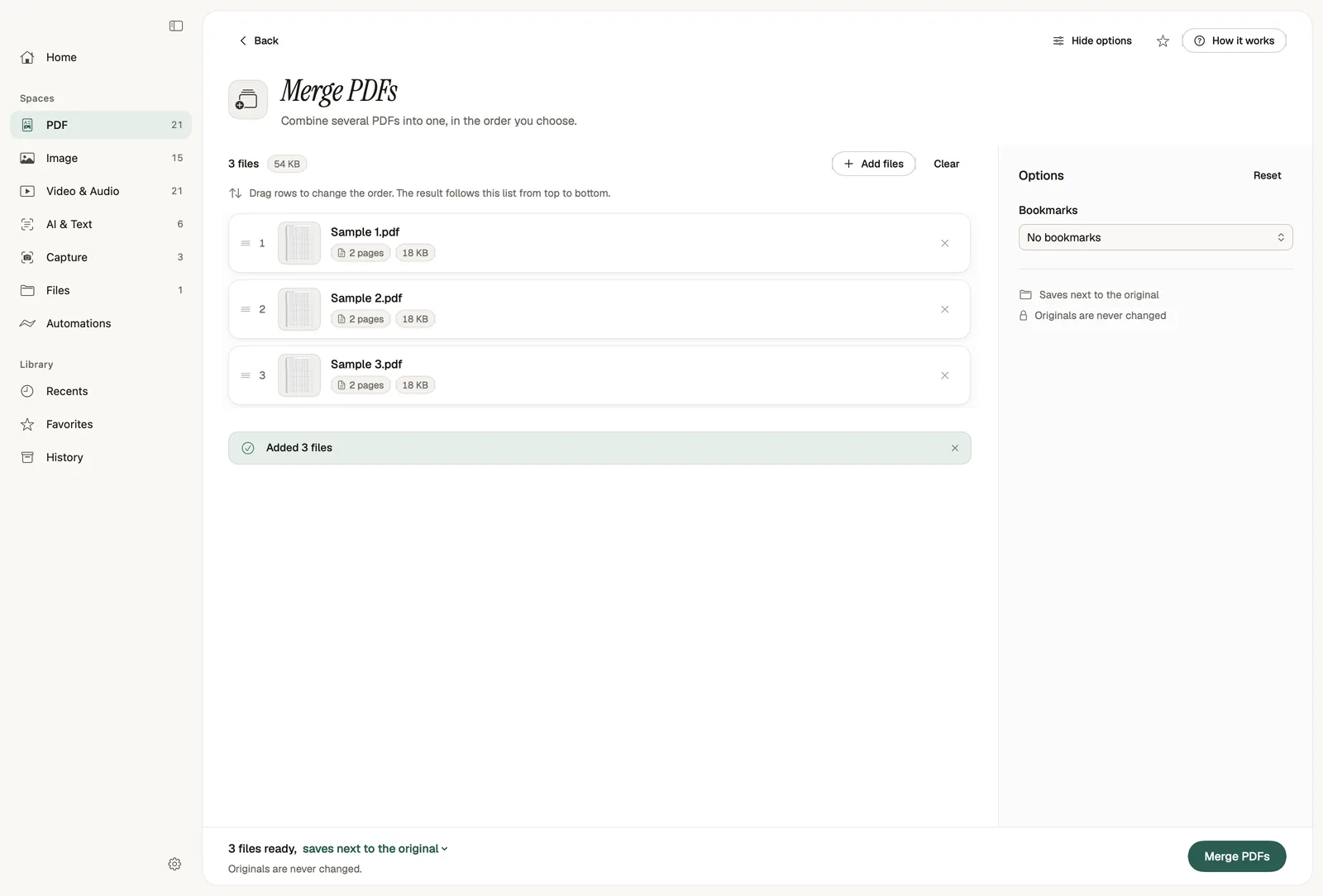
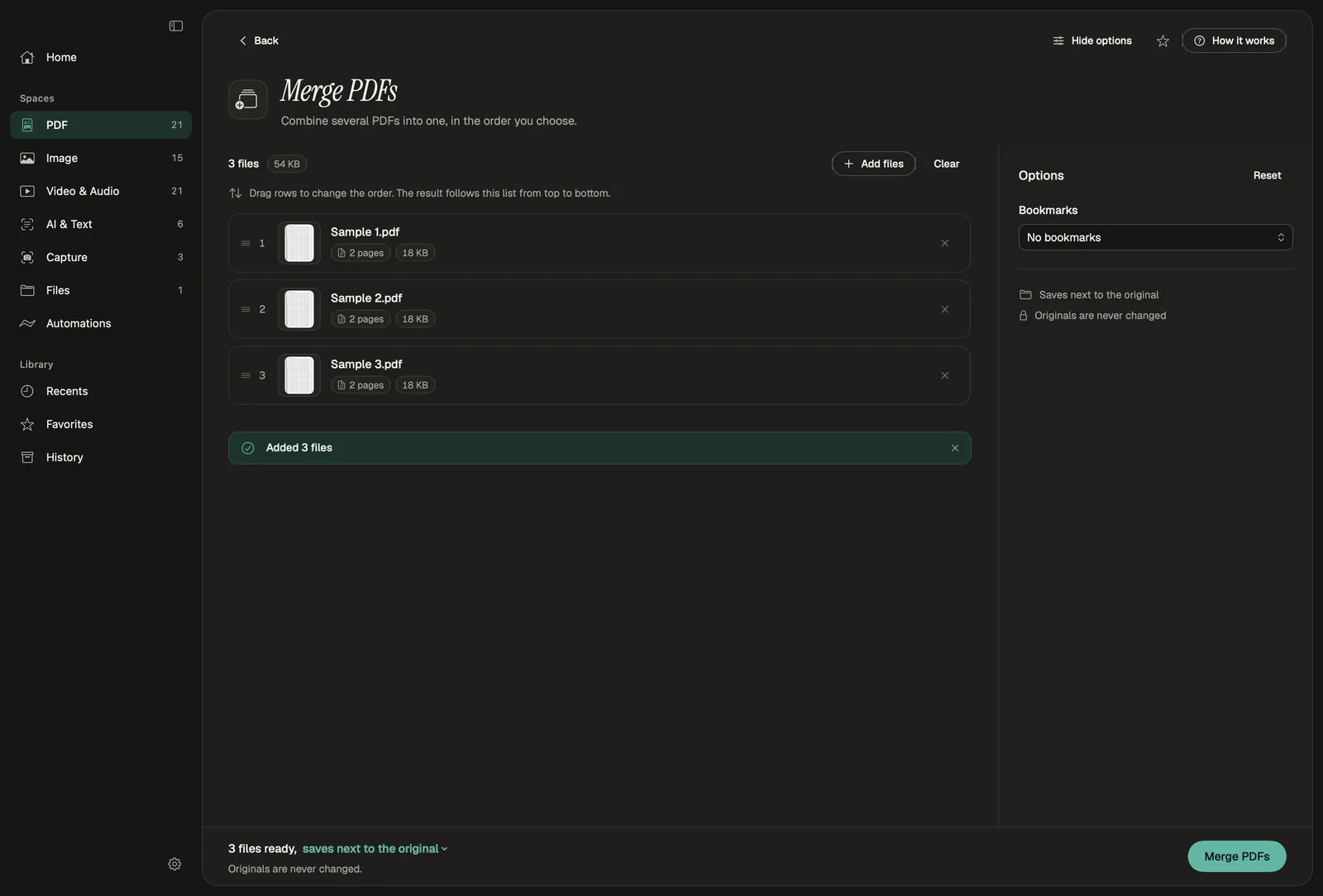
Add files, drag them into order, adjust the few options that matter, and run. The footer always says where the result will be saved.
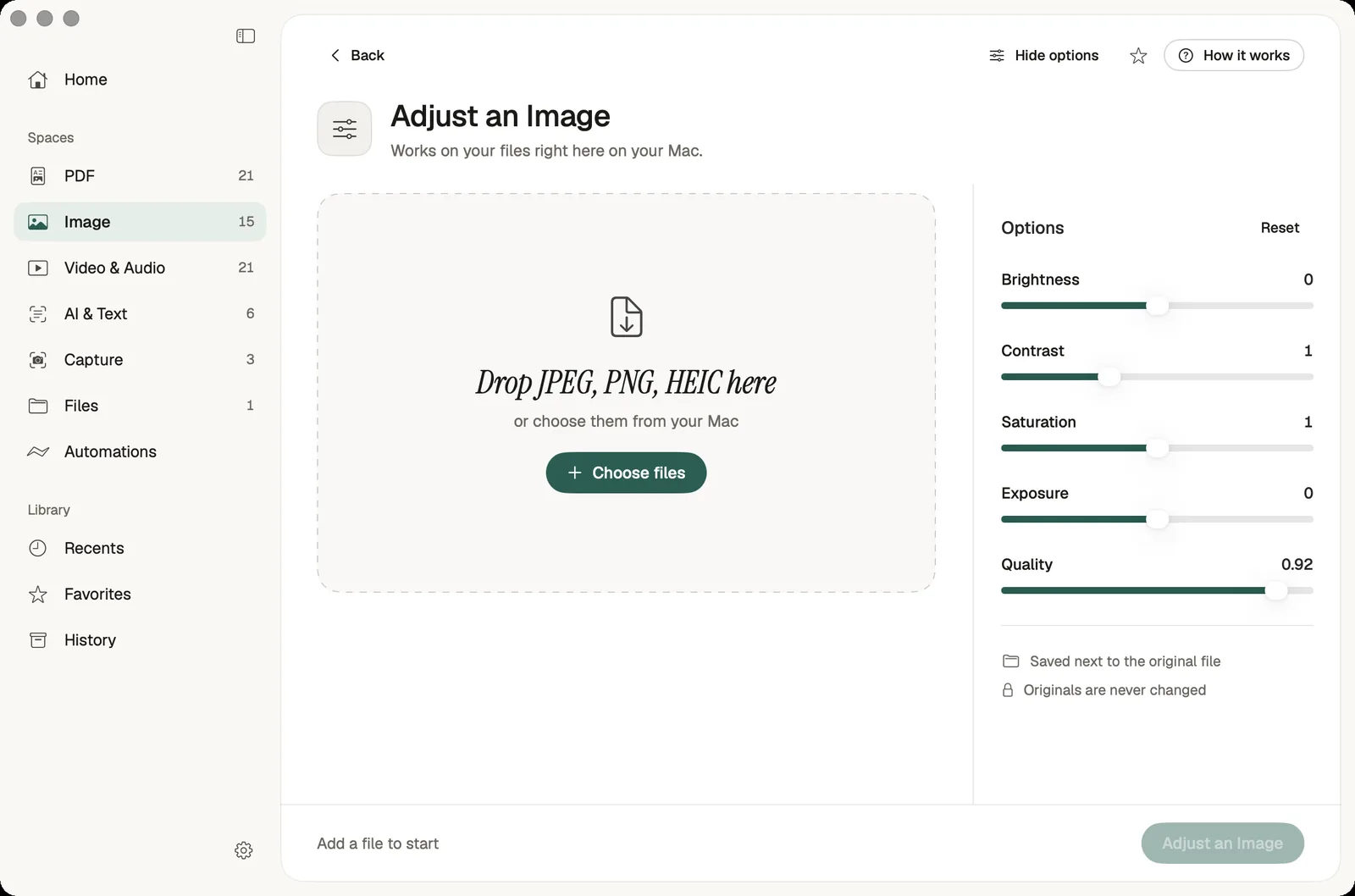
Every tool accepts files dropped on the window, the Dock icon or the menu bar shelf, and lists the formats it takes.
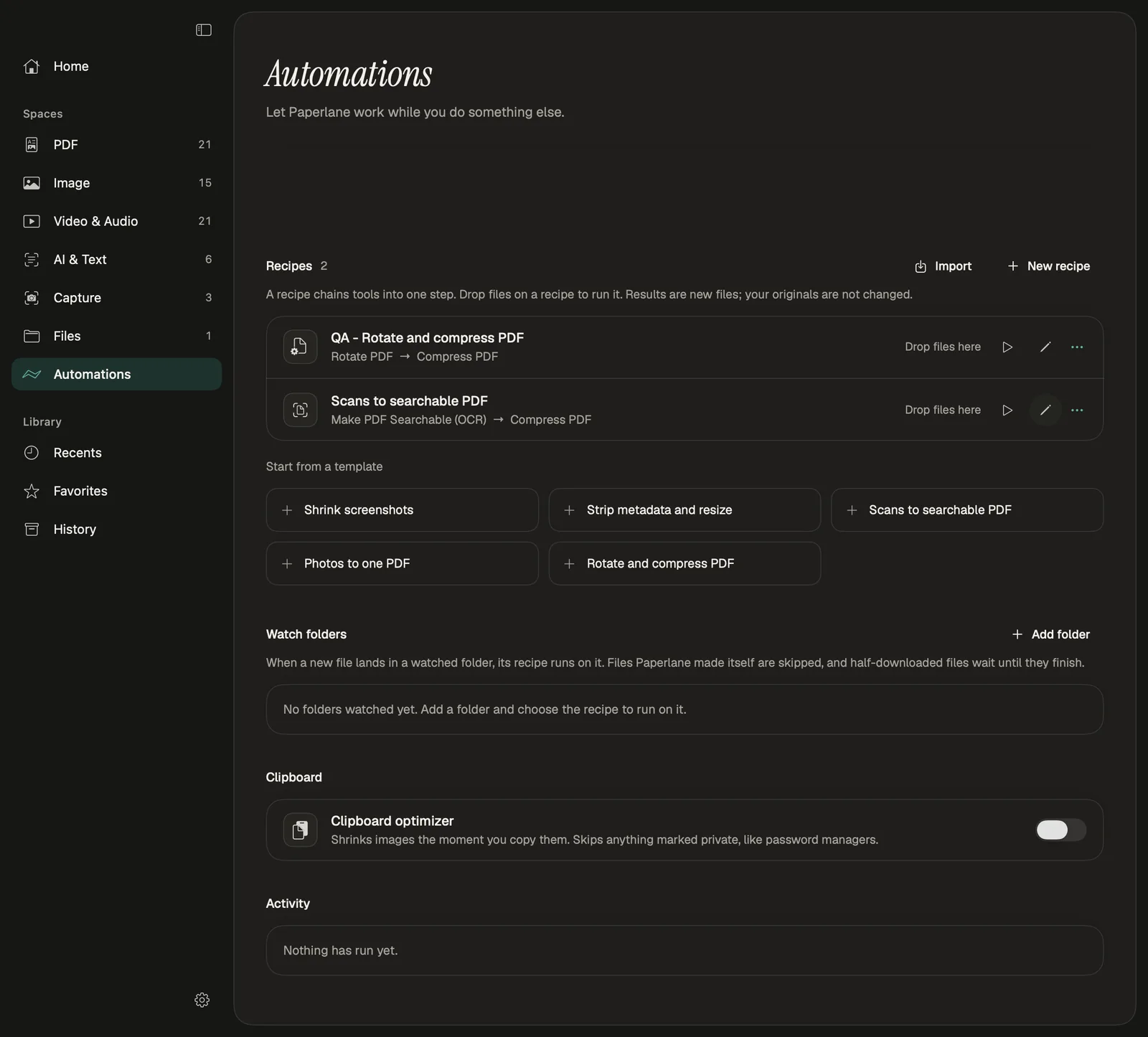
Start from a template such as Scans to searchable PDF, or chain your own steps. Files the app made itself are skipped, so nothing loops.
Five Quick Actions appear in Finder's right-click menu. They hand the selected files to the app, which runs the job and saves the results beside the originals.
Two Shortcuts actions, Run Paperlane Tool and Run Paperlane Recipe, put any tool inside a larger Shortcut. The launcher opens from any app with Control-Option-P, and the command palette inside the app with Command-K.
⌃⌥P⌘K
| Website | Mac app | |
|---|---|---|
| Cost | Free, no account | Free, no account |
| Files at once | One job at a time | Whole folders and batches |
| Works offline | After the page and tool are cached | Processing works offline |
| Finder Quick Actions and Shortcuts | No | Yes |
| Screen and audio recording | No | Yes |
| Transcription and translation | No | On-device |
| Runs on | Any modern browser | macOS 15 Sequoia or later on Apple Silicon |
Processing happens on your Mac. The app has no account, no analytics and no upload. It connects to the internet only to check for updates, and macOS itself may download speech or translation languages the first time you use them.
Now. Open the download page, get the DMG, and drag the app to your Applications folder.
Paperlane for Mac is free, including every tool, batches, Finder Quick Actions, Shortcuts, automations and agent access. There is no account.
macOS 15 Sequoia or later on an Apple Silicon Mac. Summaries and smart renaming need Apple Intelligence on macOS 26.
Paperlane for Mac does not upload your files. Processing runs on your Mac; the app checks for updates online, and macOS may download speech or translation languages on first use.
Same privacy-first tools, but native and offline, built for many files at once, and available from Finder, Shortcuts and the menu bar. It also adds recording, transcription and translation, which the website does not have.
No. The app is built for Apple Silicon only. On an Intel Mac, use the web tools in your browser.
Free, offline and private. Try the web tools today and get the Mac app when it ships.